Docs / Vendor onboarding
Connect Custom webhooks to Relin
Use this for any webhook sender that does not have a Relin preset yet. Relin still gives you a stable ingest URL, payload storage, delivery retries, replay, and alerts. Add a signing secret when the sender supports one.
What you need
Relin access
Owner or admin access to the Relin workspace where events should land.
Custom access
Admin access to the Custom account or app where you configure webhooks.
Test event
A safe Custom test event or development account you can use before production traffic.
1. Create the Custom source in Relin
- In Relin, open Developer → Inbound.
- Click Add source.
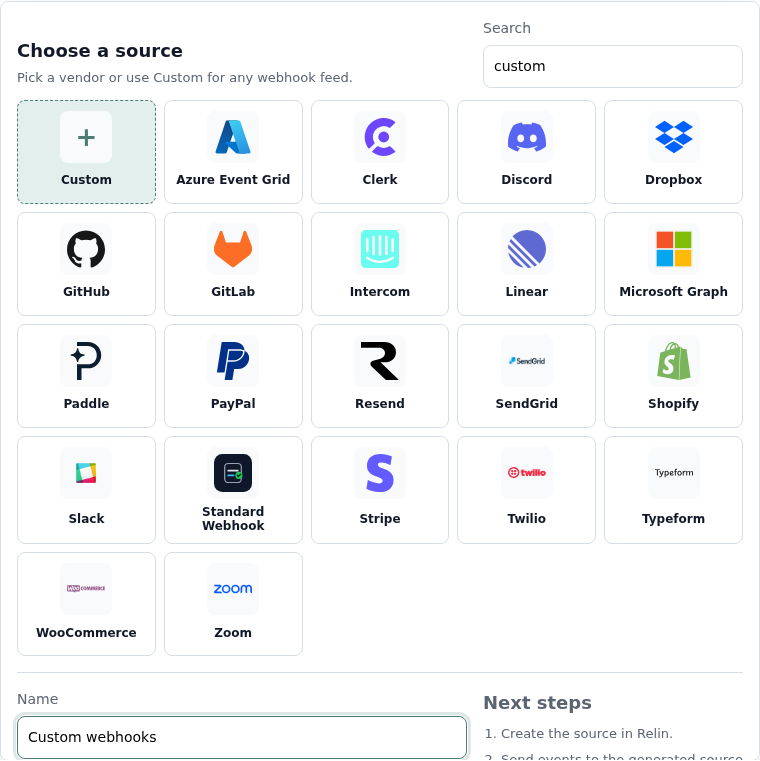
- Select the Custom tile.
- Name the source, for example Custom webhooks.
- Save the source and copy the ingest URL. You will paste this URL into Custom.
2. Configure Custom
- Open the webhook or callback settings in the vendor product.
- Paste the Relin ingest URL as the webhook destination.
- Choose JSON delivery when the sender offers a content-type option.
- Configure any shared secret, token, or public key the sender uses for verification.
- Save the webhook in the vendor product.
Good custom webhook defaults
Payload
JSON body
stable event id
event type
created timestamp
stable event id
event type
created timestamp
Verification
HMAC SHA-256
timestamp header
delivery id header
timestamp header
delivery id header
3. Configure the signing secret in Relin
- If the sender uses HMAC, paste the shared secret into Signing secret.
- If the sender uses a public-key scheme, use the vendor docs to identify the public key value.
- If the sender does not sign requests, leave the field empty and signature status will be unchecked.
- Save the source.

4. Send a test event
- Send a test event from the vendor product.
- Open Relin Events and filter to the Custom source.
- Confirm the payload shape and signature status match what you expect.
Custom notes
- Custom sources do not get vendor-specific lifecycle anomaly rules until a preset exists.
- Repeated custom setups are good candidates for new Relin vendor presets.
Troubleshooting
- No event in Relin: confirm the vendor is sending to the full Relin ingest URL, including the token.
- Signature failed: confirm whether the vendor signs the raw body, a timestamp plus body, or a canonical string.
- Payload cannot be searched as expected: make sure the sender uses JSON and stable field names.
Official references
Next
- Add a destination so Relin can forward events to your app.
- Configure retry policy for resilient delivery.
- Set up alerts for failed deliveries or missing events.