
Docs / Vendor onboarding
Connect GitHub webhooks to Relin
Use this when GitHub repository or organization events drive deploys, issue automation, CI work, or customer workflows. Relin receives GitHub webhooks, verifies the HMAC signature, records every delivery, and lets you replay safely after your own endpoint is fixed.
What you need
Relin access
Owner or admin access to the Relin workspace where events should land.
GitHub access
Admin access to the GitHub account or app where you configure webhooks.
Test event
A safe GitHub test event or development account you can use before production traffic.
1. Create the GitHub source in Relin
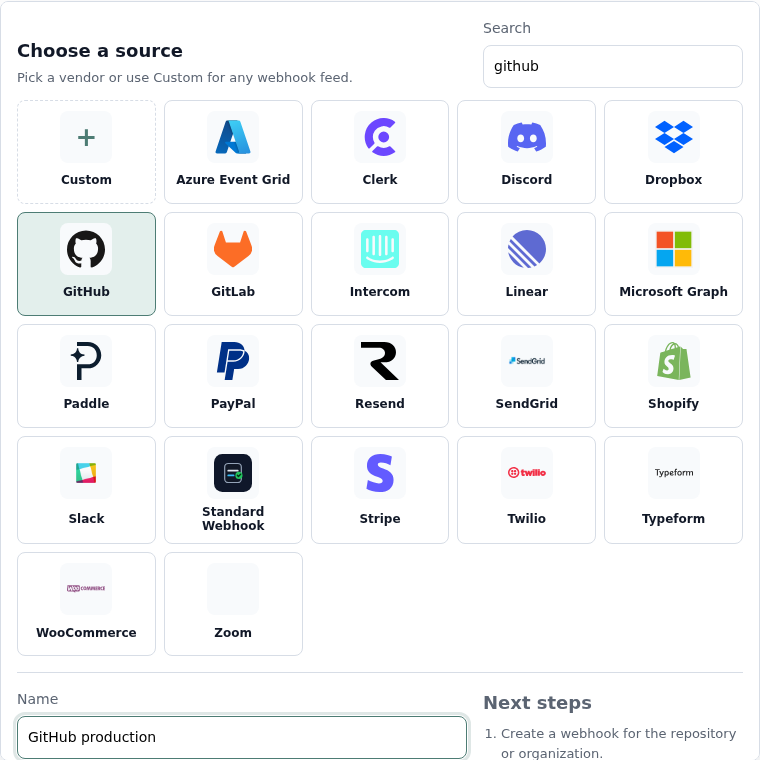
- In Relin, open Developer → Inbound.
- Click Add source.
- Select the GitHub tile.
- Name the source, for example GitHub production.
- Save the source and copy the ingest URL. You will paste this URL into GitHub.
2. Configure GitHub
- Open the repository or organization settings in GitHub.
- Go to Webhooks and click Add webhook.
- Paste the Relin ingest URL into Payload URL.
- Set Content type to application/json.
- Enter a webhook secret. You will paste the same value into Relin.
- Choose the events your product depends on, then save the webhook.
Recommended GitHub events
Repository automation
push
pull_request
workflow_run
deployment_status
pull_request
workflow_run
deployment_status
Issue workflows
issues
issue_comment
label
milestone
issue_comment
label
milestone
3. Copy the GitHub webhook secret into Relin
- Use the same secret value in GitHub and Relin.
- Return to the Relin source settings page.
- Paste the secret into Signing secret.
- Save the source.

4. Send a test event
- Open the webhook in GitHub.
- Use Recent deliveries to redeliver the ping event, or trigger a subscribed event such as a push.
- Open Relin Events and confirm the newest GitHub event has signature status verified.
GitHub notes
- Relin verifies GitHub's X-Hub-Signature-256 header. Prefer that over older SHA-1 signatures.
- Organization webhooks can be noisy. Subscribe only to events you actually route or monitor.
Troubleshooting
- No event in Relin: confirm the Payload URL exactly matches the Relin ingest URL.
- Signature failed: update either GitHub or Relin so both use the same secret value.
- Events arrive but your app does not update: inspect the Relin delivery attempt for the downstream response body and status.
Official references
Next
- Add a destination so Relin can forward events to your app.
- Configure retry policy for resilient delivery.
- Set up alerts for failed deliveries or missing events.