
Docs / Vendor onboarding
Connect SendGrid webhooks to Relin
Use this when SendGrid should stream email delivery and engagement events into your product. Relin records each Event Webhook request, verifies signed Event Webhooks when you provide the public key, and lets you inspect or replay batches.
What you need
Relin access
Owner or admin access to the Relin workspace where events should land.
SendGrid access
Admin access to the SendGrid account or app where you configure webhooks.
Test event
A safe SendGrid test event or development account you can use before production traffic.
1. Create the SendGrid source in Relin
- In Relin, open Developer → Inbound.
- Click Add source.
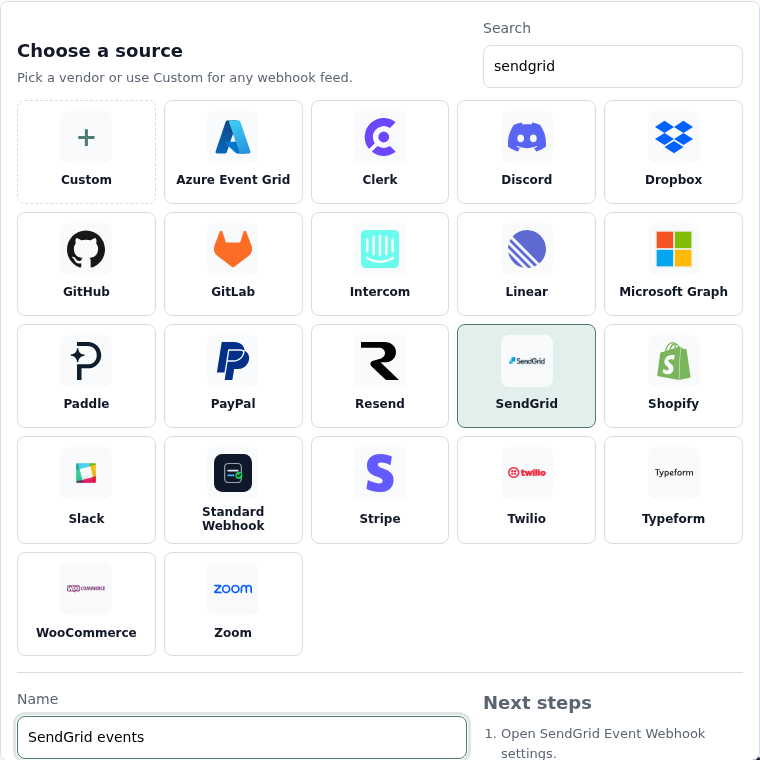
- Select the SendGrid tile.
- Name the source, for example SendGrid events.
- Save the source and copy the ingest URL. You will paste this URL into SendGrid.
2. Configure SendGrid
- Open SendGrid Settings, then Mail Settings.
- Under Webhook Settings, open Event Webhooks.
- Create a new webhook or edit an existing one.
- Paste the Relin ingest URL into Post URL.
- Choose the delivery and engagement events you want SendGrid to post.
- Enable signature verification if you want Relin to verify requests.
- Save the Event Webhook.
Recommended SendGrid events
Delivery
processed
delivered
deferred
bounce
dropped
delivered
deferred
bounce
dropped
Engagement
open
click
unsubscribe
spamreport
click
unsubscribe
spamreport
3. Copy the SendGrid public key into Relin
- Open the Event Webhook security settings in SendGrid.
- Copy the public key generated for Signed Event Webhook verification.
- Return to the Relin source settings page and paste it into Signing secret.
- Save the source.

4. Send a test event
- Use SendGrid's Test Your Integration action for the Event Webhook.
- Open Relin Events and filter to the SendGrid source.
- Confirm the request arrived and signature status is verified when signing is enabled.
SendGrid notes
- SendGrid Event Webhook requests are batches. Relin records the whole batch request.
- Signed Event Webhooks use public-key verification, so paste the public key, not an API key.
Troubleshooting
- No event in Relin: confirm the Post URL is the Relin ingest URL and the webhook is enabled.
- Signature failed: confirm you copied the public key from the same Event Webhook configuration.
- Events seem grouped: SendGrid can send multiple email events in one request batch.
Official references
Next
- Add a destination so Relin can forward events to your app.
- Configure retry policy for resilient delivery.
- Set up alerts for failed deliveries or missing events.