
Docs / Vendor onboarding
Connect Twilio webhooks to Relin
Use this when Twilio product callbacks should be recorded before they reach your application. Relin can verify Twilio signatures when you provide the Auth Token, then replay or inspect webhook traffic across messaging, voice, and status callbacks.
What you need
Relin access
Owner or admin access to the Relin workspace where events should land.
Twilio access
Admin access to the Twilio account or app where you configure webhooks.
Test event
A safe Twilio test event or development account you can use before production traffic.
1. Create the Twilio source in Relin
- In Relin, open Developer → Inbound.
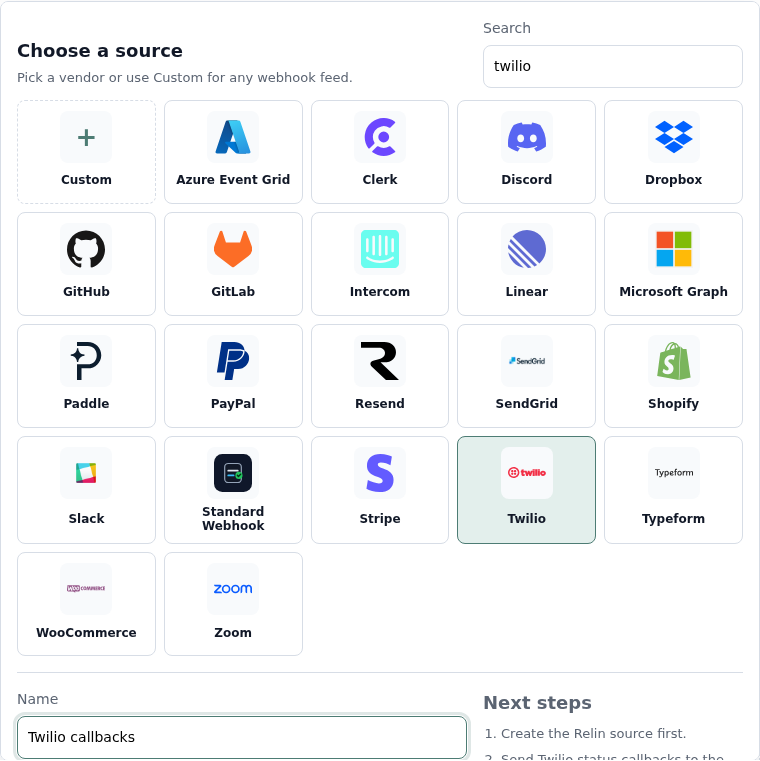
- Click Add source.
- Select the Twilio tile.
- Name the source, for example Twilio callbacks.
- Save the source and copy the ingest URL. You will paste this URL into Twilio.
2. Configure Twilio
- Open the Twilio Console area for the product you are configuring.
- Find the webhook, callback, or status callback URL field.
- Paste the Relin ingest URL as the callback URL.
- Use HTTPS and keep the HTTP method Twilio expects for that product.
- Save the Twilio configuration.
Common Twilio callbacks
Messaging
Inbound message URL
Status callback URL
Status callback URL
Voice
Incoming call URL
Status callback URL
Recording callback URL
Status callback URL
Recording callback URL
3. Copy the Twilio Auth Token into Relin
- Open Account Info in the Twilio Console.
- Copy the Auth Token for the account that signs the webhook.
- Return to the Relin source settings page and paste it into Signing secret.
- Save the source.

4. Send a test event
- Trigger the Twilio event you configured, such as an SMS status callback or an inbound message.
- Open Relin Events and filter to the Twilio source.
- Confirm the event appears and signature status is verified when a token is configured.
Twilio notes
- Twilio signs webhooks with X-Twilio-Signature using the account Auth Token.
- Relin can still receive Twilio events without a signing secret, but signature status will be unchecked.
Troubleshooting
- Signature failed: confirm the callback URL in Twilio exactly matches the URL Twilio signed, including query string behavior.
- No event in Relin: confirm you updated the callback URL for the correct phone number, messaging service, or product.
- Twilio expects TwiML: route interactive inbound callbacks to an endpoint that can return the response Twilio expects.
Official references
Next
- Add a destination so Relin can forward events to your app.
- Configure retry policy for resilient delivery.
- Set up alerts for failed deliveries or missing events.